

Client portal
Stop chasing updates.
Your Techoice portal puts progress, approvals, messages and invoices in one place, on the web and in a mobile app. Always current, never buried in email.
At a glance
What matters most to you, up front
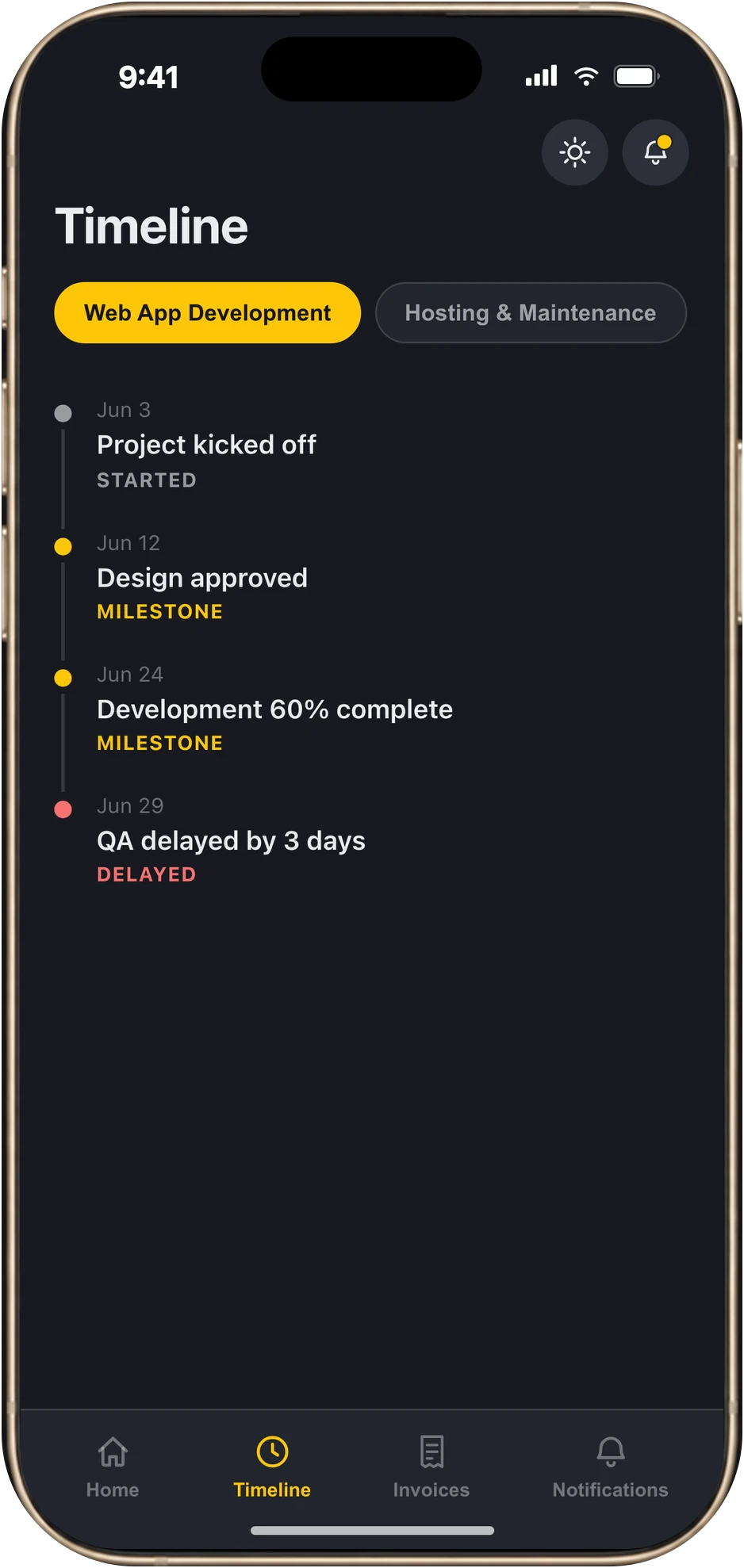
Where things stand
A live timeline and a status for every service, so you never wait for the next weekly update.
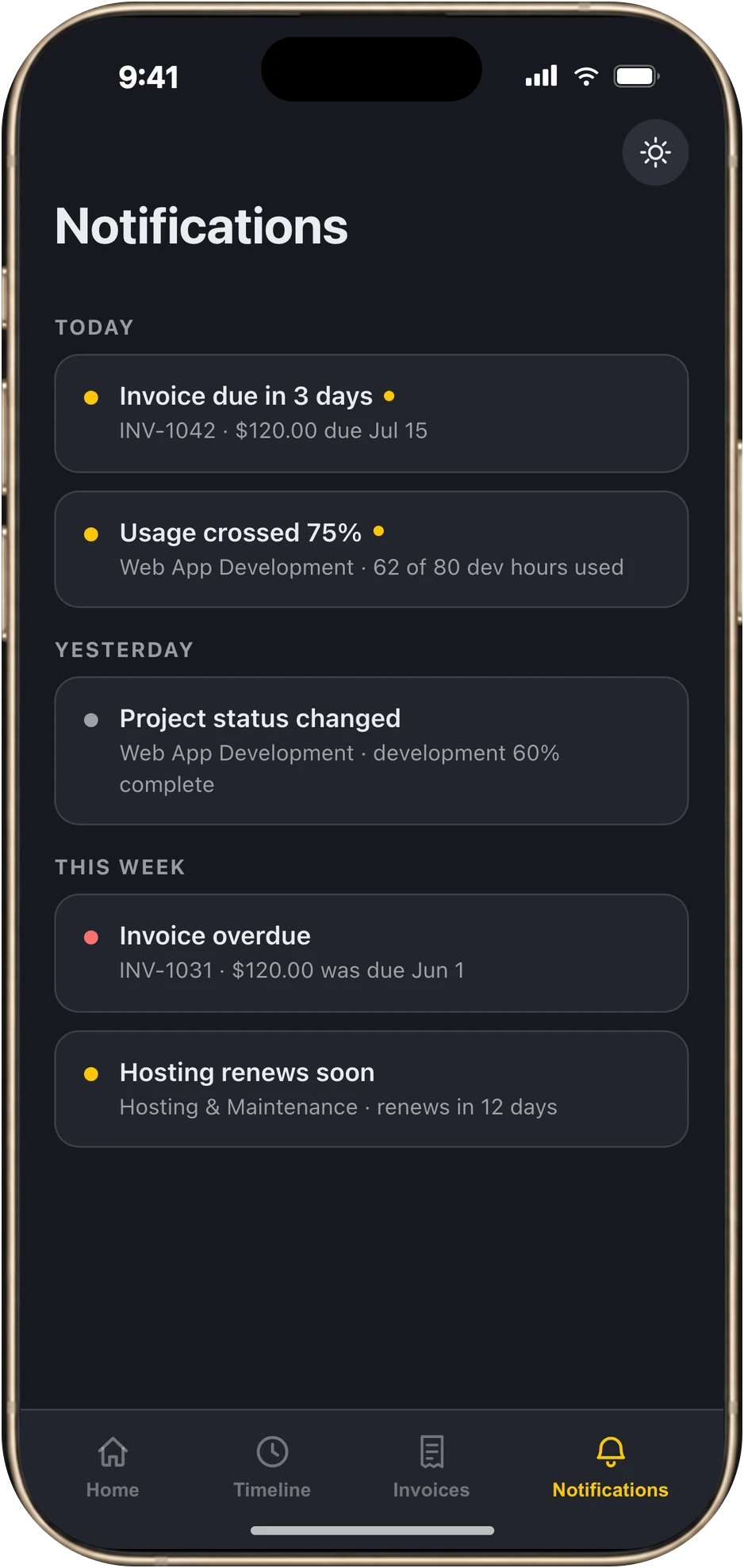
What needs your decision
Proposals to review, deliverables to approve, changes to answer and invoices to pay are surfaced first, not buried.
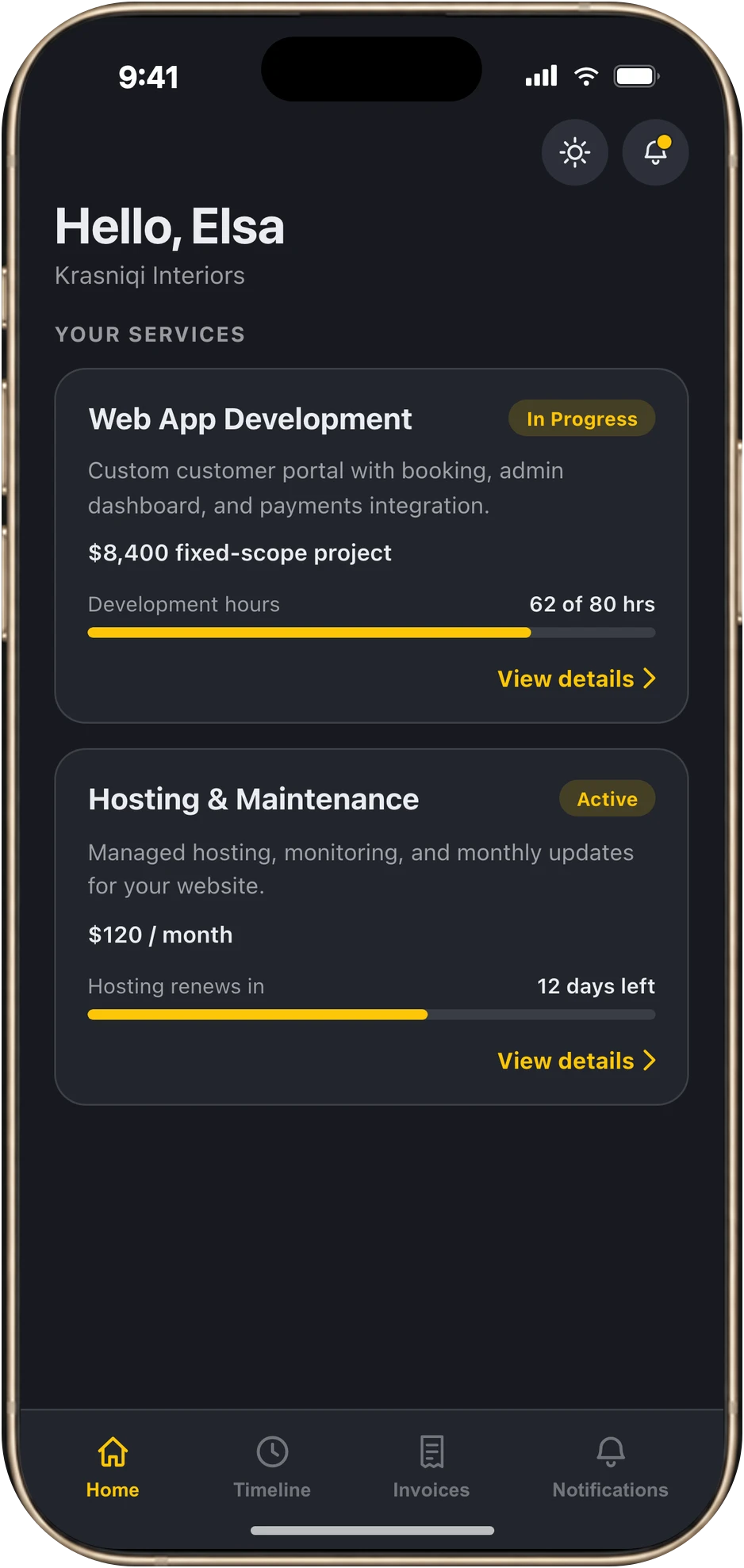
What it will cost
Usage meters and invoice status keep your budget visible, with an alert before a limit is reached.
In the mobile app
Open the app. The answer is already there.
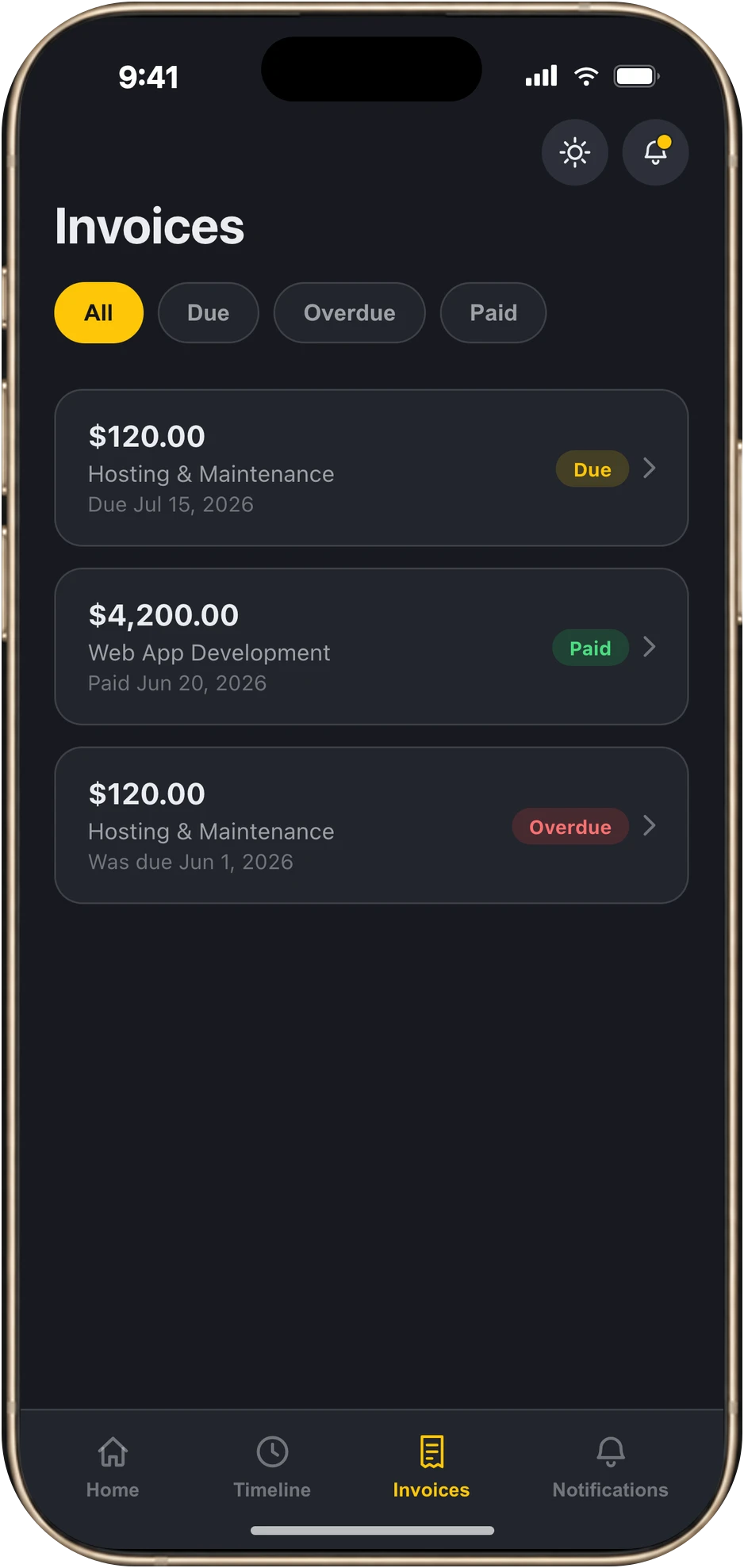
Four screens built around the questions clients ask us most.
On the web
The full workspace, when you need to go deeper
Sign in from any browser to approve work, talk to the team and pay.
Approve deliverables
Preview each deliverable, check its version history, then approve it or ask for changes.
Watch usage live
Meters show how much of your hours or allowance is used, before it becomes a surprise.
One thread with the team
Questions and decisions stay attached to your account, not scattered across chats.
Request changes properly
Raise a change request against a live service so scope shifts are visible and agreed.
See the work in flight
Follow the tasks behind each service and what is done, in progress or next.
Pay invoices securely
Open an invoice and pay online when it is ready. Every invoice and its status stays in the portal.
Get the portal
Use it your way
Take it with you on your phone, or open it in any browser. Both show the same account.
Mobile app
Updates, alerts and invoices in your pocket. Download the Techoice client app, then sign in with the invite we send you.
Web portal
The full workspace for approvals, messages and payments, from any browser.
The difference
Email chains vs. your portal
Without a portal
- Status lives in email threads and meeting notes.
- Approvals wait on someone replying.
- Invoices get lost in the inbox.
- Scope changes happen in passing chat.
- Budget overruns show up at the end.
- "Which file is the final one?"
With the Techoice portal
- One live timeline for every service.
- Approve or request changes in a click, with version history.
- See every invoice, get reminded, pay online.
- Change requests are logged against the service.
- Usage meters and alerts keep cost visible.
- Every deliverable keeps its version history.
Getting access
Simple to start, private by design
- 1
Partner with Techoice
Start an engagement and we set up your client account.
- 2
Get your invite
We invite your contacts by email. Sign in with a secure email link on the web, or with the email link or a 6-digit code in the mobile app.
- 3
Stay in sync
Track progress, decide on approvals and pay invoices from one place.
Your account stays yours
- Private to the contacts we invite.
- You only ever see your own services, files and invoices.
- Magic-link sign-in on the web, so there is no password to share or forget.
Questions
Before you ask
Who gets access to the portal?
Every Techoice client. We invite the people on your team by email, and you can ask us to add or remove contacts at any time.
Do I need to install anything?
No. The web portal works in any modern browser. The mobile app is optional, for updates on the go.
How do I sign in?
On the web you receive a secure link by email, so there is no password to remember. In the mobile app you enter your invited email and either tap the link or type the 6-digit code we send, or continue with Google.
How will I know when something needs me?
The portal highlights approvals, requests and invoices waiting for you, and the mobile app sends notifications for invoices coming due, usage thresholds, renewals and status changes.
Can I pay invoices in the portal?
Yes. On the web you can open an invoice and pay it online. The mobile app shows every invoice and its status.
Is my information private?
Each account is private to its invited contacts. You only see your own services, deliverables and invoices.

See your next project this way
Book a short walkthrough and we will show you the portal with your engagement in mind. Already invited? Download the app or open the web portal.